AES-256 encryption
Your secret keys are encrypted on-device and never stored or transmitted in plain text.
Authenticator App - 2FA Auth instantly creates secure one-time passwords (OTP) for all your accounts. Your codes are protected with end-to-end encryption and locked behind your fingerprint — so even if your password gets stolen, your account stays safe.
Free to use · No account required · Works offline
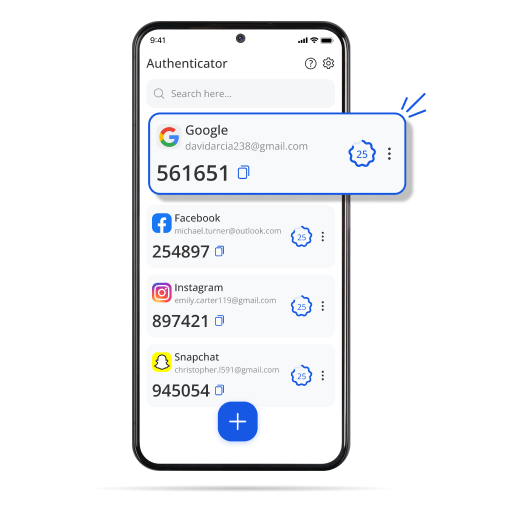
Works with the services you already use
Authenticator App - 2FA Auth is an independent app published by Bocah Pinter. It is not affiliated with, endorsed by, or sponsored by any of the services listed above. All product names, logos and trademarks are the property of their respective owners and are shown only to indicate compatibility with their standard TOTP two-factor authentication.
A simple, privacy-first 2FA app you can trust to keep every account safe.
Your secret keys are encrypted on-device and never stored or transmitted in plain text.
Add any account in seconds by scanning its QR code — no manual entry, no friction.
Gate your codes behind fingerprint or Face ID so only you can ever view them.
Switch phones without losing a single token. Restore your encrypted vault in one tap.
Codes are generated locally with the TOTP standard — no internet connection required.
Find any account instantly and keep hundreds of tokens neatly sorted into folders.
From install to secured in under a minute — no sign-up, no complexity.
Download Authenticator App - 2FA Auth from Google Play and open it — no registration needed.
In any service's security settings, choose “Authenticator app” and scan the code shown.
Enter the 6-digit OTP code at login and you're protected. It's that simple.
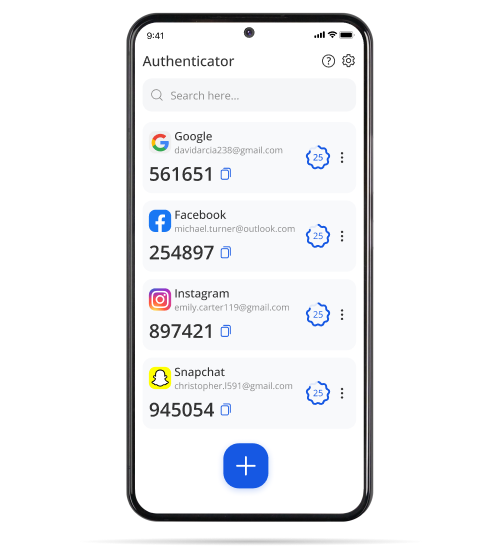
A focused interface that surfaces the right code at the right moment — nothing more, nothing less.
Authenticator App - 2FA Auth is built to work without knowing who you are. Here is what stays on your device, what leaves it, and why each permission is requested.
Secret keys and the codes derived from them are encrypted with AES-256 and stored locally. They are never transmitted in plain text and never reach our servers — unless you deliberately switch on the optional encrypted backup.
Never leaves the deviceThe app needs no sign-up. We do not ask for your name, email address, phone number or contacts, and it never requests access to the accounts you protect with it.
Not collectedTo keep the app stable we may collect non-identifying information such as device model, OS version, crash reports, general region and the device advertising identifier. We never sell your data.
Anonymous onlyEach is asked for in context, used for one purpose, and nothing more.
Requested only when you add an account, so the app can scan the 2FA QR code a service shows you. No photo or video is recorded, stored or uploaded.
Handled entirely by your device's biometric system. The app only receives a pass or fail result — your biometric data never reaches us.
Used only if you enable encrypted backup, so the app can write and restore your encrypted vault file. Nothing else on your device is read.
Used for crash diagnostics and, in the free version, advertising. Your codes are generated offline and never need a connection.
The full detail — retention, third-party services, children's privacy and your rights — is in our policy. Questions go straight to the publisher, Bocah Pinter.
Everything you might want to know before getting started.
It adds a second layer of security to your logins. Alongside your password, you enter a short code that the app generates fresh every 30 seconds — so even a stolen password isn't enough for an attacker to get in.
Yes. Codes are generated locally on your device using the standard TOTP algorithm, so you can sign in securely even with no signal or Wi-Fi.
Enable encrypted backup and your vault is safely stored. On a new device, restore everything in a single tap — no token left behind.
Any site or app that supports authenticator-based 2FA, including Google, Microsoft, Instagram, Amazon, GitHub and Discord. If it can show a QR code, it works.
Completely. Your secrets are encrypted on-device with AES-256, your codes are never transmitted in plain text, and we never sell your data.
Join the users who trust Authenticator App - 2FA Auth to protect what matters most. Free, fast, and private.